 Pierre CLEMENT
node-red-contrib-mi-devices
This module contains the following nodes to provide easy integration of the Xiaomi devices into node-red. This module is a fork of Harald Rietman module, node-red-contrib-xiaomi-devices
The following devices are currently supported:
- Temperature/humidity sensor
- Aqara temperature/humidity/pressure sensor
- Magnet switch
- Aqara window/door sensor
- Button switch
- Aqara smart wireless switch
- Motion sensor
- Power plug (zigbee)
- Power plug (wifi)
Preperation
To interact with the gateway, you need to enable the developer mode, aka LAN mode in the gateway (see below).
To control the Wifi-Plug, extensive use is made of the miio library created by Andreas Holstenson. Make sure to check his page for compatible devices.
Install
npm install node-red-contrib-mi-devices
Usage
From the Xiaomi configurator screen add your different devices by selecting the type of device and a readable description. The readable discription is used on the different edit screen of the nodes to easily select the device you associate to the node.
Note that the Wifi power plug is not configured through the configurator as it is not connected to the gateway.
The Xiaomi configurator screen with ease of use to configure your different devices.
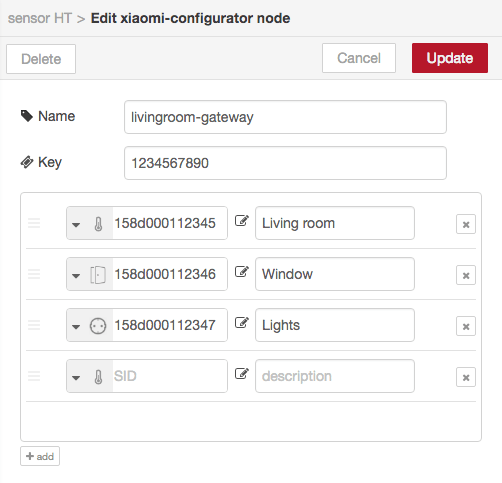
Tip: use the configurator from the side-panel (hamburger menu, configuration nodes) to manage your devices. Node-red doesn't update underlying edit screens if the configuration panel is opened / closed from the edit node screen. (If you do, you need to first close the edit node screen and reopen it by double-clicking the node you want to edit the properties for.)
How to use different nodes
Here an example of how to use the different nodes (screenshot of importable flows-overview.json):
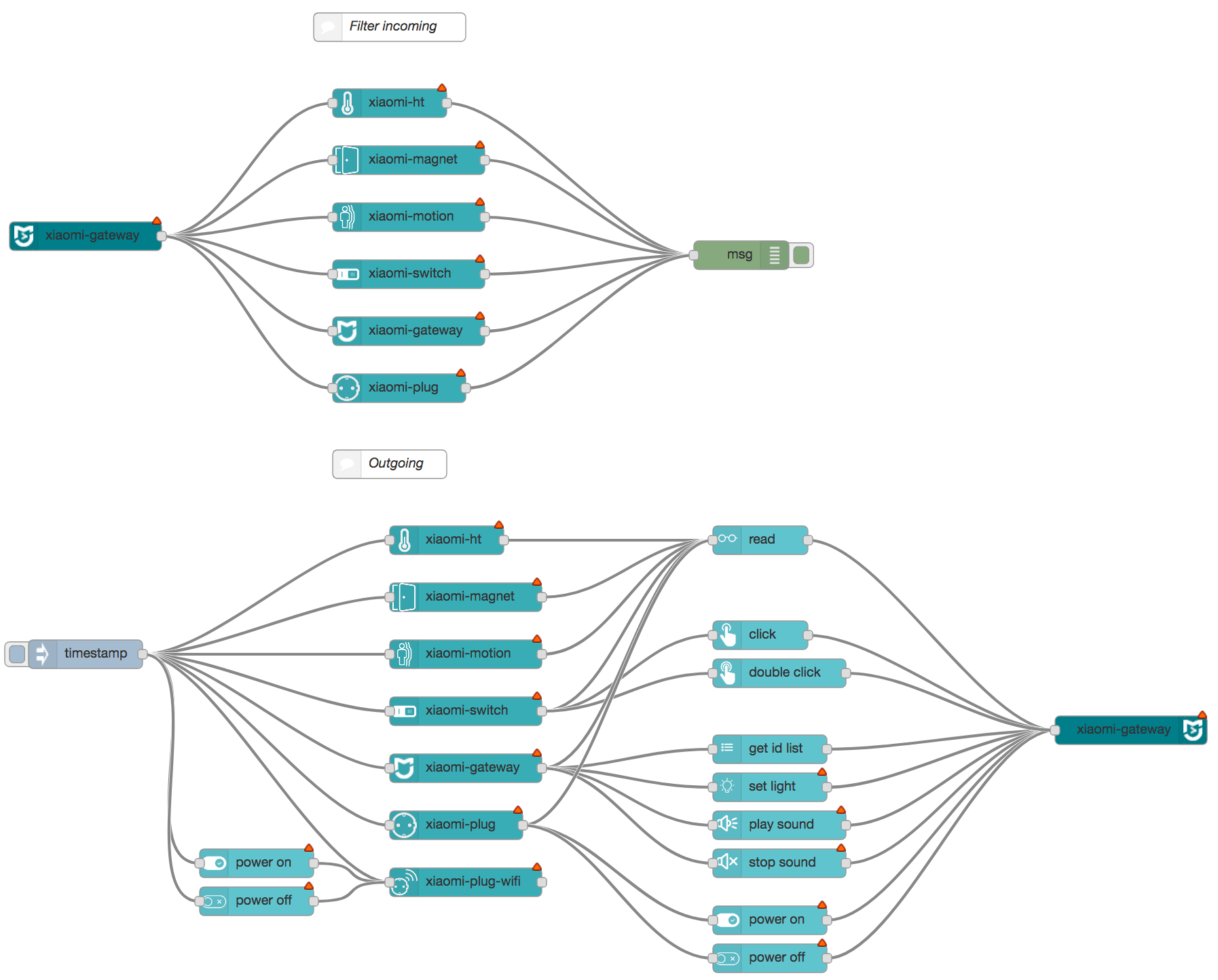
Sample flows
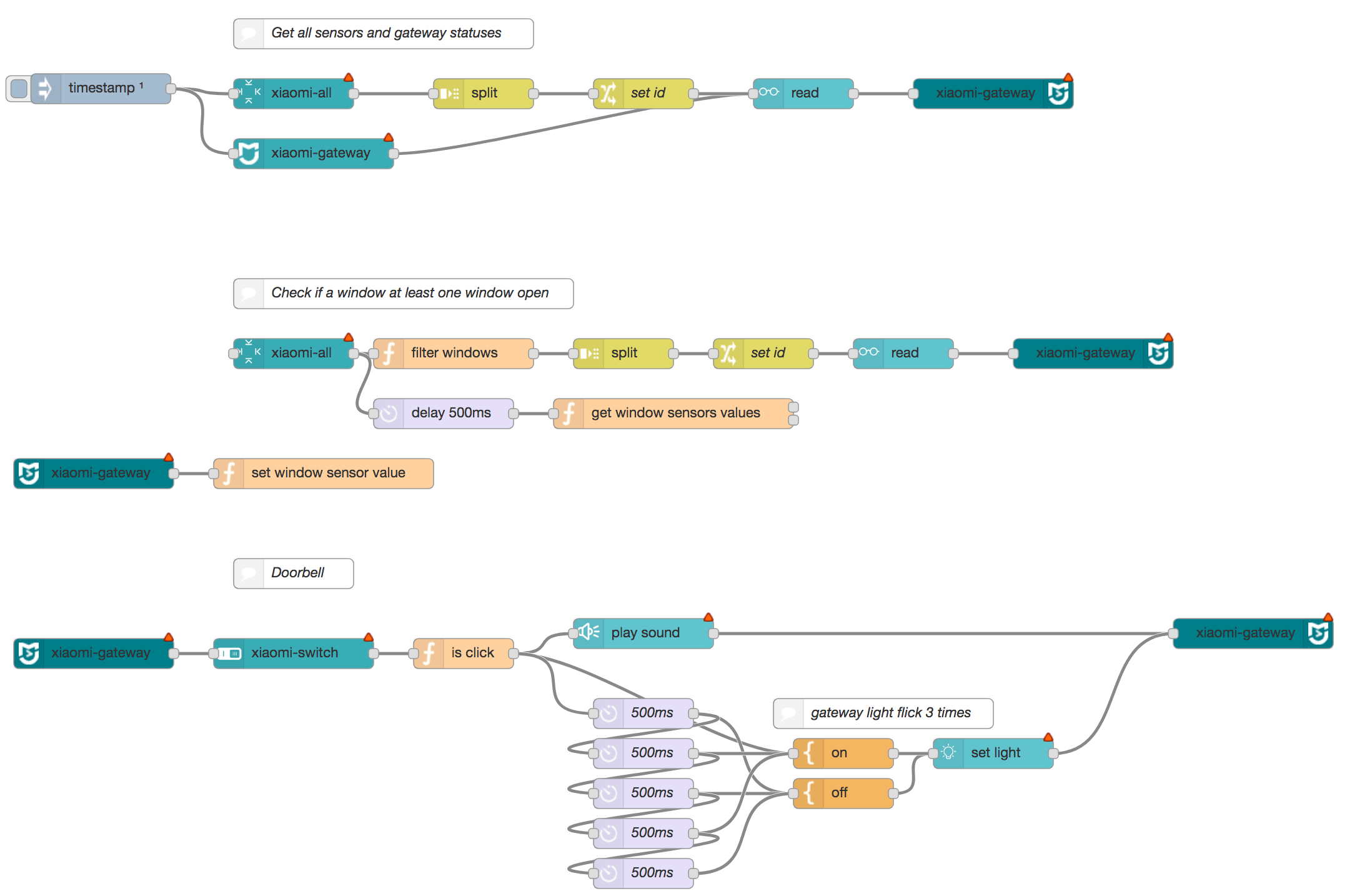
Here are different flow (screenshot of importable flows-sample.json):
Enable LAN mode
Gateway
- Install MiHome App
- Make sure you set your region to: Mainland China under settings -> Locale - required for the moment. Mainland China and language can set on English.
- Select your Gateway in Mi Home
- Then the 3 dots at the top right of the screen
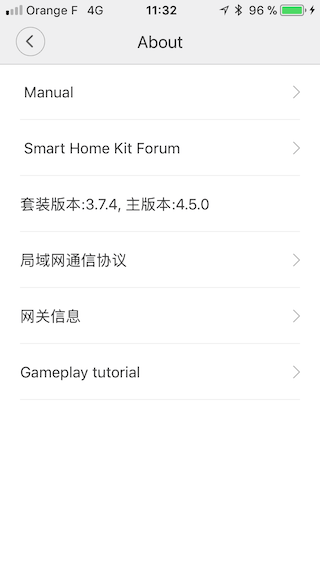
- Then click on about
- Tap under Tutorial menu (on the blank part) repeatedly
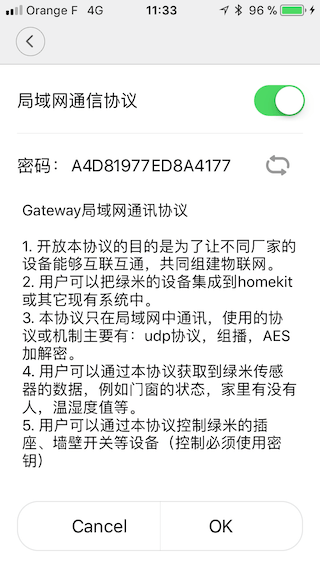
- You should see now 3 extra options listed in Chinese until you did now enable the developer mode (like the first screenshot below, if not try all steps again!)
- Choose the second new option
- Then tap the first toggle switch to enable LAN functions. Note down the password (
A4D81977ED8A4177in the second screenshot) - Make sure you hit the OK button (to the right of the cancel button) to save your changes
If you change here something, you lose your password!
Sources
- Harald Rietman node-red module
- Domoticz Instructions
- louisZl Gateway Local API
- Domoticz Gateway Code
- Node-red UDP nodes